If you have used AI for repeat office work, you have probably typed the same instructions more than once. You explain what to check, spell out the exceptions, ask for the answer in a tidy table, then do it all again next week.
An AI skill lets you write those instructions once and reuse them. Instead of starting from a blank prompt every time, you give an AI tool a saved set of steps and the expected output for a job that repeats.
What goes inside a skill
Under the open Agent Skills format, a skill is a small folder built around an instruction file (SKILL.md). It starts with a short description so a compatible AI tool knows when the skill fits the task. When you ask for that job, the tool loads the full steps.
Plain instructions are enough for many tasks. Where a job needs tighter structure, a skill can also include templates, worked examples, reference notes or scripts that run fixed checks the same way each time. Because the format is open, you can reuse the same skill across compatible AI tools rather than rebuilding your process inside one app.
An illustrative example before invoicing
Picture a trade or service team checking a job before invoicing. This is an illustrative example, not a Calo product or a real client case.
Before raising an invoice, someone compares the finished work against what the customer agreed to pay. To run the check, they give the AI the signed job docket from site, the accepted quote and any approved variations, such as signed variation forms or written email approvals.
Following its saved steps, the skill checks labour, materials, rates and scope across those documents and writes a short review list. Every flagged difference points back to its source so you can check it without hunting through files. For example, the skill could flag:
- Extra hours or materials on the signed docket (docket line 4) that do not appear on the accepted quote or any approved variation.
- A quantity or unit rate on the docket that differs from the accepted quote (quote item 2.3) or an approved variation (variation email, 14 May).
- Quoted work missing from the docket (quote item 3.1), so you can confirm whether it was completed or dropped.
- Extra work noted on the docket (docket notes, page 2) without a customer approval reference.
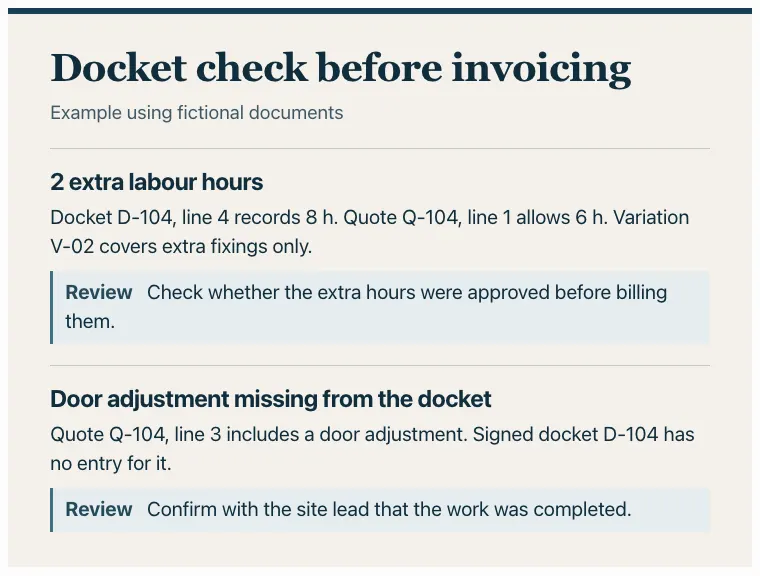
The skill prepares that check, and a person makes the call before invoicing. You look at the flagged lines against the source documents and decide what happens next. That might mean billing an approved extra, checking details with the site lead, holding the invoice until a variation is signed off or absorbing a small overrun.
Where to start
Skills fit repeat jobs where your team already knows the standard and wants the first pass done the same way each time. This post starts a series showing actual work with skills, including where they help and where human judgement still matters.
If you want to look at ready-made options now, browse the AI skills libraries on the Calo Resources page.