Hacking the Proposal: An AI Workflow for Developers Who'd Rather Be Coding


I’m a technical person first and foremost. My passion lies in writing code and solving complex problems. It’s the core of what we do at Calo. But as anyone in a small tech company knows, you often wear multiple hats. For me, one of the most challenging has been the sales hat—specifically, the time-consuming process of crafting detailed proposals after a client meeting.
While it's a necessary part of the job, it always felt like a major context switch, pulling me away from the work I truly love. This process would typically take anywhere from two to four hours (Excluding large projects), time that I felt could be better spent in a code editor. Recently, however, I've implemented a new AI-driven workflow that has been a complete game-changer, allowing me to get back to the keyboard faster than ever.
The evolution of the Capture
The first piece of the puzzle was a new gadget I acquired: the Plaud Note.
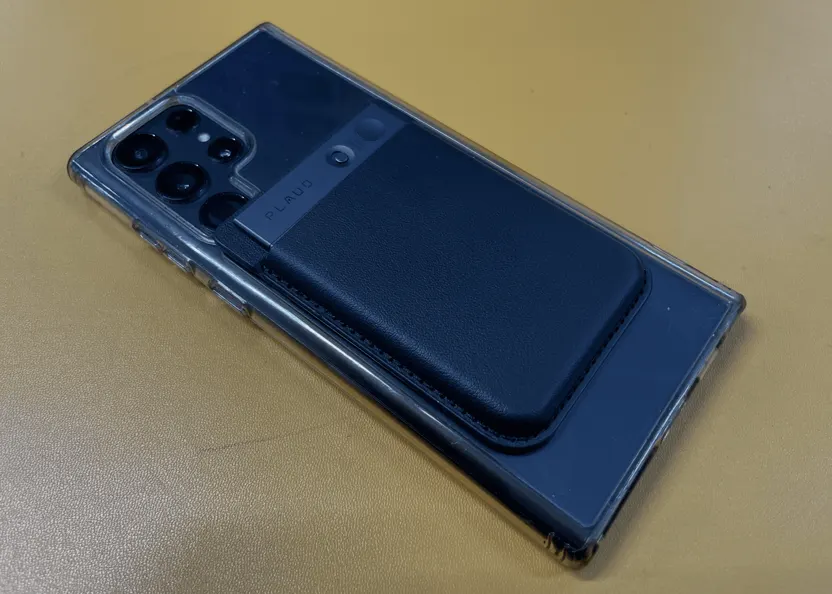
What is a Plaud Recording Device?
The Plaud Note is a slim, AI-powered voice recorder. It syncs audio to a mobile app which then provides an accurate transcription and generates concise summaries. Since I first wrote this, tools have evolved—Google Meet now allows for native in-person recording directly through the app, which is fantastic for office-based sessions. Release details here
9To5Google news
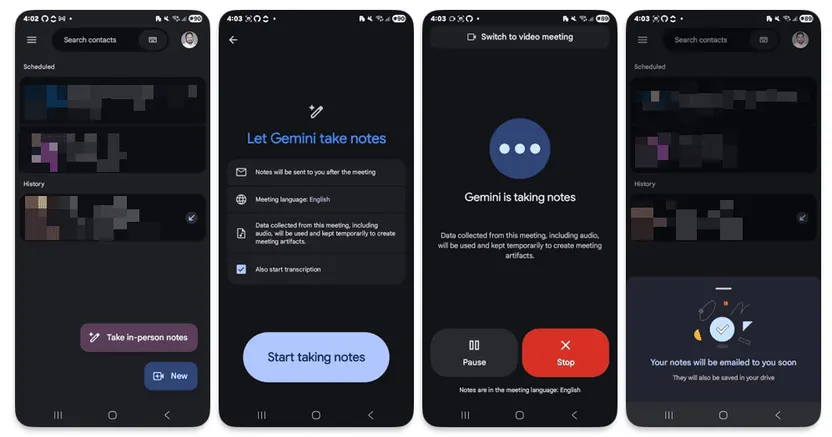
However, hardware still has its place. I still rely on my phone and the Plaud for "mobile" moments—site visits, walking meetings, or phone calls where Google Meet isn't an option. The goal isn't the device; it's the data capture.
Beyond the Dev Shop: The Mission Bay Taproom
I recently shared this workflow with a friend who runs the Mission Bay Taproom. In hospitality, details are everything. When they sit down with a client to plan a wedding or a 50th birthday, the requirements are dense—dietaries, specific beverage flows, music timing.
By using this recording and transcription workflow, they’ve eliminated the "I think they said..." moments. It allows them to provide near-instant follow-ups that are incredibly clear, ensuring the client feels heard and the kitchen team knows exactly what to execute. It’s turned a high-stress admin task into a streamlined operational advantage.
From Meeting Notes to a Proposal Scaffold
With a clear, AI-generated summary of the client's needs, I turn to my second tool: Google's Gemini with Canvas mode.
Canvas is an interactive workspace within Gemini. I feed it the summarised notes from the Plaud app—the core problems and objectives—and give it a simple prompt: "Build the base of a proposal, but just scaffold the solution part.". The solution or creative part is for me, I don’t want the AI doing that part.
This is where the process truly accelerates. Gemini acts as an incredibly fast assistant, taking the distilled meeting notes and structuring them into a professional proposal document. It outlines the key sections of the solution, suggests logical modules, and creates a coherent framework. It handles the tedious, "boring" parts of proposal creation, leaving me with a solid, intelligent draft.
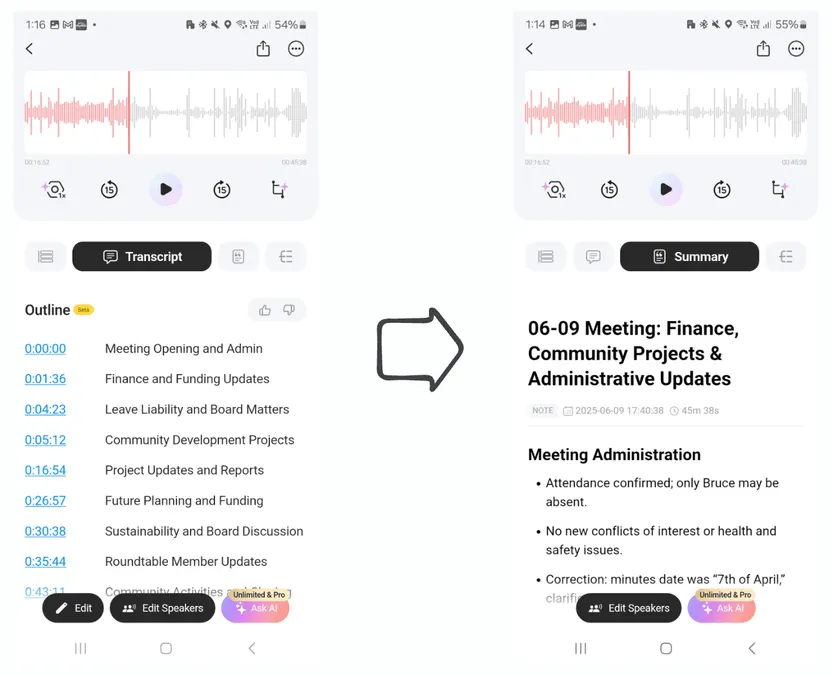
Bonus use of recording our Project Bruce board meeting to help with generating the minutes.
The Result: More Time for What Matters
This AI-augmented process has cut my proposal drafting time from 2-4 hours down to less than one. But the real victory isn't just the time saved; it's about reclaiming my focus and energy. It allows me to get back to what I love doing: writing code and solving problems.
AI Tips
Want to apply this to your sales workflow?
Calo helps turn practical AI ideas into connected workflows that fit your systems and team.
Book a CallRelated Posts